
-

Bye Bye Scammers
Course • 2 lessonsJune 3, 2026 — Replay & Printable Guide
Scams & Phishing II$22
-

Accounts & Passwords III
Course • 2 lessonsMay 27, 2026 — Replay & Printable Guide
Apple Password Manager$22
-

Accounts & Passwords II
Course • 2 lessonsApril 29, 2026 — Replay & Printable Guide
Passwords & Accounts$22
-

Privacy and Staying Safe Online
Course • 3 lessonsApril 22, 2026 — Replay & Printable Guide
Privacy & Staying Safe Online$22
-

Device Security & Updates
Course • 3 lessonsApril 15, 2026 — Replay & Printable Guide
Device security locked down!$22
-

Having Courage w/ Passwords & Accounts
Course • 2 lessonsApril 1, 2026 — Replay & Printable Guide
Walk into your account settings and take chargeFree
-
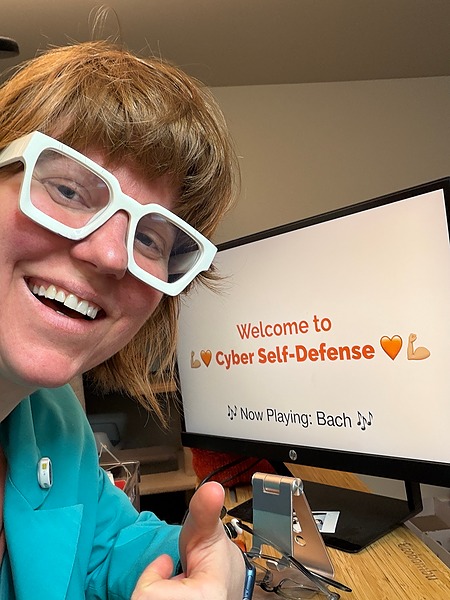
Cyber Self-Defense Pack
Bundle • 5 learning productsAll 4 week class replays + printable guides + bonus video
$99
-

Privacy and Staying Safe Online
Course • 3 lessonsMarch 25, 2026 — Replay & Printable Guide
What is Privacy Really? Practical tips on how to get it.$22
-

Malwarebytes + NordVPN Setup
Course • 3 lessonsLike a private setup session with Tanya. Includes a printable step-by-step guide.
$33
-

Fortify Your Devices
Course • 3 lessonsMarch 18, 2026 — Replay & Printable Guide
If you’ve ever ignored an update or felt unsure what your device is actually safe — start here.$22
-

Scam & Phishing Awareness
Course • 2 lessonsMarch 11, 2026 — Replay & Printable Guide
If you’ve ever wondered “Is this email real or a scam?” — start here.$22
-

Passwords & Accounts
Course • 2 lessonsMarch 4, 2026 — Replay & Printable Guide If you’ve ever reused a password or felt unsure where to store them — start here.
$22
Cyber Self-Defense Class Replays & Guides
Join live on Wednesdays ($44) or learn on your own with replay + guide ($22).
Topics rotate every 4 weeks, so you can jump in anytime.
Each replay includes:
-
🧡 Full class recording (30–45 minutes)
-
🧡 Printable step-by-step guide
-
🧡 Simple habits you can use right away
Join a Live Cyber Self-Defense Class
Wednesdays at 11 AM Pacific
Includes replay + printable guide
Each class is simple, practical, and focused on real-world protection.
More days and times coming soon!

FAQ
-
How do the classes work? Do I need to take them in order?
The program runs on a rotating 4-week cycle:
• Accounts & Passwords
• Scams & Phishing
• Device Security
• Privacy & Staying Safe Online
Each class stands on its own, so you can start anywhere and repeat topics over time. -
Should I start with a specific class?
Each class stands on its own — you can start anywhere based on what feels most relevant to you.
-
If I already took this class, should I take it again?
Yes — each time the class is taught, it includes updated examples and new real-world scenarios. Repeating the class helps strengthen your habits over time.
-
How do I access the replay after I purchase?
After checkout, you’ll receive an email to set up your account. Once logged in, you can watch the replay and download the guide anytime.
-
Do I need to be “good with technology” to follow along?
Not at all. These classes are designed for all levels and explained in plain language with simple, step-by-step guidance.
-
How long do I have access to the replay?
You’ll have ongoing access through your account, so you can revisit the material anytime.
-
What’s included in the replay?
Each replay includes the full class recording (30–45 minutes) and a printable step-by-step guide to help you follow along.
-
Can I ask questions if I’m watching the replay?
Replay classes don’t include live Q&A, but you’re always welcome to join a live class or reach out if you need help [email protected] or call/text (206) 486-2660
-
Can I share my access with someone else?
Each purchase is for individual use. If someone else would benefit, you’re welcome to share the replay link with them.
Want to get the latest updates?
Get tips, tricks, and the latest from Tanya